
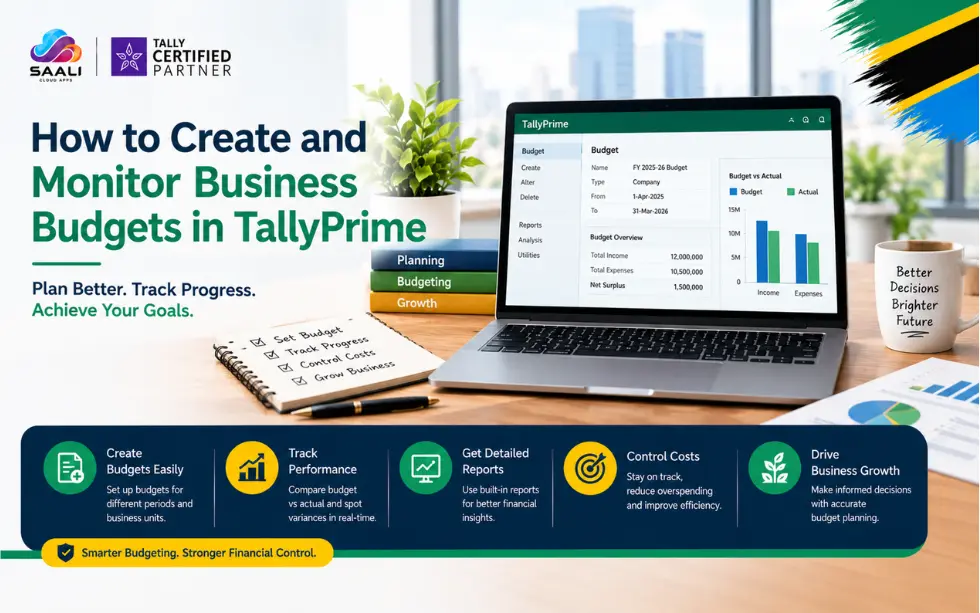
Budgeting for business purposes is made easy if your budgeted revenue and expenditure can be compared to the actual numbers through one system of accounts. TallyPrime makes it possible for one to draw up budgets for ledgers, groups, and cost centres and compare budgeted figures against actual numbers. This is beneficial to businesses in Tanzania.
What Is a Budget?
A business budget can be defined as a financial budget that reflects the expected sources of income and costs within a given period. This is meant to act as a reference point for assessing the actual business activities.
For instance, suppose you are going to incur TZS 5,000,000 on advertising within a certain period; you can develop the advertising budget and then measure the actual expenditure against the budgeted expenditure.
This is not meant to record any accounting transaction because it is simply an estimate and hence will not affect the accounting records.
What Can You Budget?
TallyPrime allows you to create budgets according to how you want to monitor your business.
You can create budgets for:
- Ledgers: Individual income or expense accounts.
- Groups: A collection of related ledgers.
- Cost Centres: Departments or other areas where you want to track income and expenses.
You can also create multiple budgets for different purposes, such as marketing, finance, departments, branches or specific projects.
Choose the right budget level for better financial control and meaningful comparisons with your actual business performance.
Nett Transactions or Closing Balance?
When creating a budget, TallyPrime provides two important options.
On Nett Transactions is suitable when you want to monitor transaction amounts during a period. The calculation considers the debit amount after reducing credits for that period.
On Closing Balance is suitable when you want to monitor account balances rather than transaction amounts. The actual opening balance is also considered.
The correct choice depends on what you want your financial reporting and budget monitoring to measure.
Create A Ledger Budget
A ledger budget is useful when you want to control a particular income or expense account.
For example, a Tanzanian business could create a budget for its transportation expenses. The business can then compare the planned transportation cost with the actual amount incurred.
To create it:
- Press Alt+G and select Create Master.
- Select Budgets and press Enter.
- Enter the budget name.
- Set Ledgers under Set/Alter Budgets of to Yes.
- Select the account name.
- Select the budget type.
- Enter the budget amount.
- Press Ctrl+A to save.
The same process can be used for income ledgers when you want to monitor expected income against actual income.
Create Group Budget
Group budget helps when you wish to track several budgets together.
Consider that your advertising budget comprises digital advertising budget, print advertising budget and exhibition budget. Instead of tracking each budget separately, you can create a group budget.
This will help management to have a wider perspective on the planned budget and help to identify if the total expenditure in that group falls within the planned budget.
Create Cost Centre Budget
Cost centres prove to be beneficial when your organisation requires budgeting by departments.
For instance, you can create cost centres such as Sales, Finance, Marketing or Research. After that, you can create a budget for the respective departments and compare the actual income/expenses against the planned one.
Before creating a cost centre budget, make sure that Cost Centres is activated under Company Features.
This becomes very handy for those companies where managers are supposed to control expenditure within their respective departments.
Use Budget Hierarchy
TallyPrime also allows you to structure budgets hierarchically.
You could have an overall department budget and then create more specific budgets underneath it, such as:
Department Budget → Sales Budget → Marketing Budget
This structure can help organisations manage financial targets at different levels rather than keeping every budget completely separate.
It becomes useful when management wants to connect an overall financial plan with specific departments, functions or activities.
Monitor Budget Variance
Creating a budget is only the beginning. The real value comes from comparing it with actual business figures.
TallyPrime provides a Budget Variance report that helps you compare budgeted amounts with actual amounts.
You can view Budget Variance through reports such as:
- Trial Balance
- Group Summary
- Monthly Summary
The report provides a practical view of whether actual performance is staying within the planned budget.
For example, if your planned expense is TZS 5,000,000 but actual expenditure reaches TZS 5,800,000, the variance highlights that spending has exceeded the planned amount.
A negative Budget Variance indicates that actual expenditure has exceeded the budgeted value.
Change or Delete a Budget
The plans of any business tend to undergo changes depending on inflation, variations in costs, or a new project or reduction in investment that may make you change the budget.
You can modify the name, budget period, as well as details about the associated ledger, group or cost centre.
For alteration of a budget, access Alt+G → Create Master → Budgets or go to the gateway of Tally and choose Alter from the list. Make your changes and then click on Ctrl+A to save them.
Also, a budget can be deleted when it is not needed anymore. This could be due to the cancellation of a project and therefore no need for the budget anymore.
A budget can even be deleted regardless of whether there are transactions in the associated ledger, group, or cost centre since the budget itself is only an estimate.
Make Budget Monitoring Part Of Your Routine
For efficient financial management, never create a budget and let it stay unmonitored all year long.
Check the variances and investigate the major ones. In case there are consistent variances showing higher expenditures than estimated, management can look at the costs involved and find.
Get TallyPrime in Tanzania at Best Prices
Saali Solutions offers complete solutions for all of your TallyPrime requirements in Tanzania. We offer TallyPrime solutions such as implementation, configuration, training, customization and support. Get in touch with Saali Solutions and request a demo.
Conclusion
TallyPrime helps your business to make budgeting possible because it enables you to plan your income and expenses at various levels, including ledgers, groups, and cost centres. With Budget Variance reports, you are able to compare budgets with actual figures, analyse any variations, and take necessary actions.
As a business in Tanzania, what is important for you is not only budgeting but also managing finances.
Read more:
How Tanzanian Businesses Manage Foreign Currency Transactions in TallyPrime
TallyPrime: Affordable Accounting Software for Businesses in Dar es Salaam, Tanzania
FAQs
Can I create multiple budgets in TallyPrime?
Yes, multiple budgets may be generated for different departments, purposes, projects or financial requirements.
Does creating a budget affect accounting entry?
No, the budget is an estimate and does not impact the accounting entry.
Can TallyPrime budgets track income?
Yes, income budgets can be made along with the expense ledgers/groups.
Can I change a budget after creating it?
Yes, the budget period, budget name, and other budget details can be modified whenever needed.
When does Budget Variance become available?
Budget Variance will be generated after the creation of at least one budget in TallyPrime.