
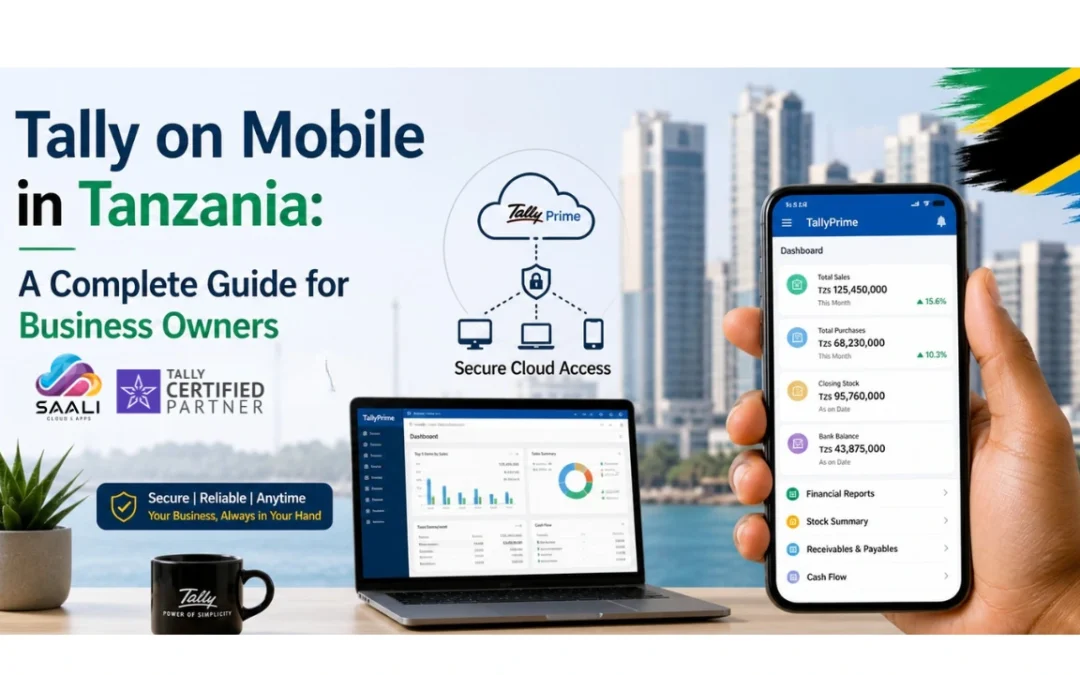
Your business is growing every day but still you are working hard to keep everything moving. But when your accounts stay stuck on one computer it slows you down. You feel the pressure when you need numbers fast but cannot see them.
Tally on Mobile changes this for you. It lets you open your TallyPrime from your phone through cloud access. Now you can check sales see stock and track your money anytime even when you are not in the office. You stay in control and you feel confident about your decisions.
What is Tally on Mobile?
So let’s make this very simple for you. You are using Tally on your office computer. But what if you are outside. Maybe you are travelling in Dar es Salaam or visiting your shop or meeting a client. You still want to check your sales or your cash right.
That is where Tally on Mobile comes in. It means you can open your Tally from your phone. Not by installing it directly but by connecting through cloud. Your data stays safe on a secure server and you can open it anytime.
You do not need to depend on anyone. You can see your reports your stock your accounts instantly. This really helps you feel in control of your business even when you are not in office.
How Tally Works on Mobile: Step-by-Step Process
Step 1: Tally Installation on Server / Cloud
First your Tally is set up on a cloud server instead of your office computer. So you are not stuck to one place anymore. Your business data moves with you.
Step 2: Data Hosting on Secure Cloud (AWS or similar)
Then your data is stored safely on cloud servers. You do not have to worry about system crash or losing files. It just stays protected and available all the time.
Step 3: Remote Access Setup
After that a secure access is created for you. Only you and your trusted team can log in. So you feel safe knowing your financial data is not open to everyone.
Step 4: Mobile App / Browser Access
Now you simply open it from your phone using an app or browser. You do not install Tally in your phone. Still you get full access like your office system.
Step 5: Login & Real-Time Usage
Once you log in you can see everything live. Your sales your stock your reports. It updates instantly. So you can take decisions quickly without waiting for anyone.
Can You Install Tally Directly on Mobile?
Let’s be honest here because many people get confused. You cannot install Tally directly on your mobile. It is not made for that. It is a desktop software.
You might see some apps online saying you can install Tally on phone. But that is not true. This can be risky for your business data. You may lose important information or face security problems.
The right way is simple. You use Tally on Cloud. That is how you safely open Tally on your phone. When you choose the correct partner you do not have to worry. Your data stays safe and your business keeps running smoothly.
Benefits of Using Tally on Mobile for Tanzanian Businesses
Access Anytime Anywhere
So imagine this. You are not in your office. You are travelling or checking your shop or meeting a supplier. Still you open your phone and see your business numbers. You feel relaxed. You are always connected.
Real Time Business Insights
You do not have to wait anymore. You can see your sales your purchases your expenses right now. This helps you stay updated. You feel confident because you know what is happening in your business.
Faster Decision Making
When you have data in your hand you decide faster. You can check stock and change prices or control expenses. You do not wait for your accountant. You take action instantly.
Better Cash Flow Control
You can check your bank balance and payments anytime. You know who has to pay you and who you need to pay. This helps you avoid stress and manage money better.
Multi Branch Management
If you have more than one shop or office then this really helps. You can see all branches in one place. You feel in control. Your business runs smoothly without confusion.
Common Problems Solved by Tally on Mobile
No more office dependency
You do not need to sit in office to check your data. Even when you are outside you stay updated and in control of your business.
No more waiting for reports
You do not wait for your accountant to send reports. You can see profit sales and expenses instantly whenever you want.
Easy branch coordination
All your branches stay connected. Data updates automatically. You do not struggle to manage different locations anymore.
Clear business visibility
You can see everything clearly. Your stock your sales your cash. You feel confident because nothing is hidden from you.
Better data safety
Your data stays safe on cloud. You do not worry about loss or misuse. Only the right people can access your system.
How to Choose the Right Tally Mobile Solution in Tanzania
Choose official Tally partner
You should always go with an official Tally partner. This gives you trust safety and proper support for your business system.
Check secure cloud setup
Make sure your data is stored safely. Backup should always be there. So you do not lose anything important.
Look for local support
You need someone who understands Tanzania business rules. So when you face any issue you get quick help without delay.
Ensure multi user access
Your team should work together easily. Many users should access Tally without slowing down the system.
Training and support matter
You should not struggle to use the system. Proper training and support make your work easy and stress free.
Why Saali Solutions is the Best Tally Partner in Tanzania
Now let’s talk real. You do not just need software. You need someone who understands your business. At Saali Solutions we have been working with Tanzanian businesses for years. We know how VAT works. We know how your daily operations run.
We help you set up Tally on Cloud so you can access it from your phone without worry. We make sure your data stays safe. We guide you step by step so you feel comfortable using the system.
You are not alone in this journey. With Saali Solutions you get a partner who stands with you. We help you grow. We help you stay in control.
Get Tally at Best Prices in Tanzania – Saali Solutions
So if you are thinking about using Tally on Mobile then this is the right time. You do not have to struggle with old systems anymore. Saali Solutions is here to help you from start to finish.
We will set up your system. We will guide you. We will support you daily. You just focus on your business. We take care of your accounting system.
Whether you are small or growing fast we have the right solution for you. Just reach out to Saali Solutions today and take the next step towards smarter business management.
Conclusion
So in simple words Tally on Mobile gives you freedom. You are not stuck in one place. You can run your business from anywhere. You feel more confident and in control.
When you choose the right partner everything becomes easy. Your system runs smooth and your business grows without stress.
FAQs
1. Can I use Tally on my phone in Tanzania
Yes you can use it through Tally on Cloud and access it safely on your mobile.
2. Is there an official Tally mobile app
No there is no official app you can only access it through cloud or remote system.
3. Do I need internet to use Tally on Mobile
Yes you need internet to connect and use Tally from your phone.
4. Is Tally on Mobile secure
Yes it is safe when you use it with authorised partners and secure cloud setup.
5. Who should use Tally on Mobile If you run a business or manage accounts or handle multiple branches then this is very useful for you.